Brilliant.org

➔
★★★★★ 4.4 / 5
Brilliant.org is a unique online learning platform that gamifies the learning experience of complex concepts in an engaging manner. The combination of high-quality courses, creative learning design, and beginner-friendliness make it appealing to math and science students. However, its subject selection is limited to STEM, and the monthly payment plan is quite pricey.
Pros
- Excellent, gamified user experience
- Interactive — you learn by doing, not watching video
- 7-day free trial with full access
- Koji AI tutor included
- Works from beginner to advanced
Cons
- STEM subjects only
- Pricey month-to-month ($27.99)
- Auto-renews, with a short (~3-day) refund window
- No accredited certificates
If you are interested in learning about various tech-related subjects online, chances are you’ve already heard about Brilliant.org. This online learning platform has been making a splash in recent years for trying to accomplish the Herculean task of making learning about STEM subjects as entertaining and effective as possible.
Brilliant.org was born out of a personal eureka moment Sue Khim, the founder of Brilliant, had in her childhood.
Khim and her dad had a tradition. It involved Khims’s dad presenting her with various math puzzles during the long car rides they shared. Young Khim was struggling with a particularly challenging puzzle. Her dad, noticing her mental struggle, suggested “trying solving the puzzle from the outside in.”
To this day, Khim sees STEM subjects as something entertaining and mysterious, not impenetrable or intimidating. Looking at the numbers, a lot of people want to learn STEM subjects the same way.
Brilliant has more than 10 million registered users and remains one of the most popular interactive STEM learning platforms. What is it about the site that has garnered so much attention? Let’s find out.
What is Brilliant.org?
Brilliant.org is a community-driven online learning platform established in 2012 by Sue Khim, a well-known innovator of online education. For her efforts in establishing Brilliant.org, Khim was also named in the Forbes “30 under 30 in Education” list.
Brilliant.org offers online education in various STEM-related subjects. Their catalog currently features 100+ courses on subjects as varied as neural networks, solar energy, and cryptocurrency. These, of course, are only a few select examples. We will be taking an in-depth look into everything taught in Brilliant.org further on in this review.
Make no mistake, Brilliant.org is far from being a dry collection of video courses. The developers of Brilliant.org fully understand that it takes more than watching hours of video lessons to get neck-deep into learning a new skill, especially when it comes to hard skills such as quantum computing, linear algebra, or programming with Python.
This is why all the lessons taught come with interactive exercises, quizzes, and daily challenges. All to keep the students of Brilliant.org as engaged with the materials as possible.
Gamification is one of the most noteworthy trends in E-learning. And, Brilliant.org is one of the learning platforms that has fully embraced this concept in its methodology of teaching.
Who is Brilliant.org for?
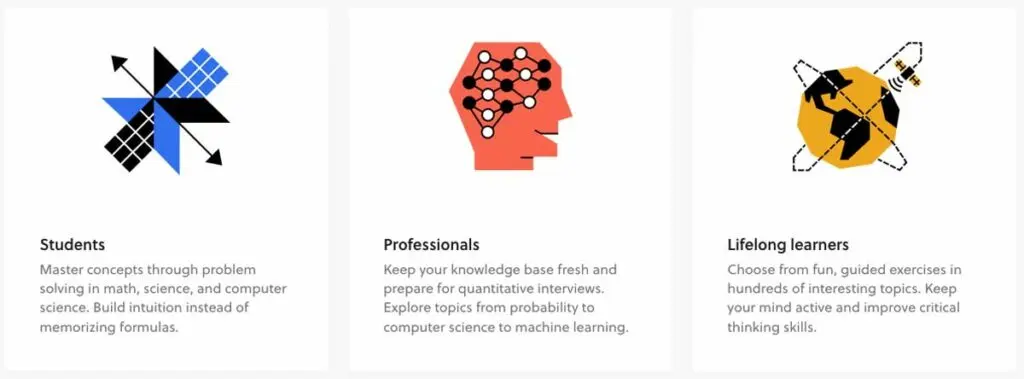
Brilliant.org is primarily geared toward students of all ages in STEM subjects – in particular at a high school and introductory college level. This includes both students who may be struggling with STEM and need to learn or review the fundamentals, as well as students interested in more advanced topics.
And keep in mind that while students of all levels may be the primary target audience, Brilliant.org does have a recommended lower age limit of ten years of age – it is not designed to introduce your toddlers or kindergarteners to STEM.
The platform is, however, not exclusively targeting students, but also aims to attract professionals needing to brush up on fundamentals or get an introduction to a more advanced area, as well as lifelong learners who want to keep their minds active.
What subjects can you learn at Brilliant.org?
Roughly speaking, Brilliant.org is about teaching mathematical and scientific concepts for a wide array of audiences in different age groups and expertise levels.
For new Brilliant users, the platform offers an algorithm that selects the best pathways of learning for the new user. You select whether you are a student, a professional, a hobbyist, or a parent/teacher. After this, Brilliant chooses the best courses and challenges for your specific needs.
Here’s a look at the range of topics Brilliant covers:
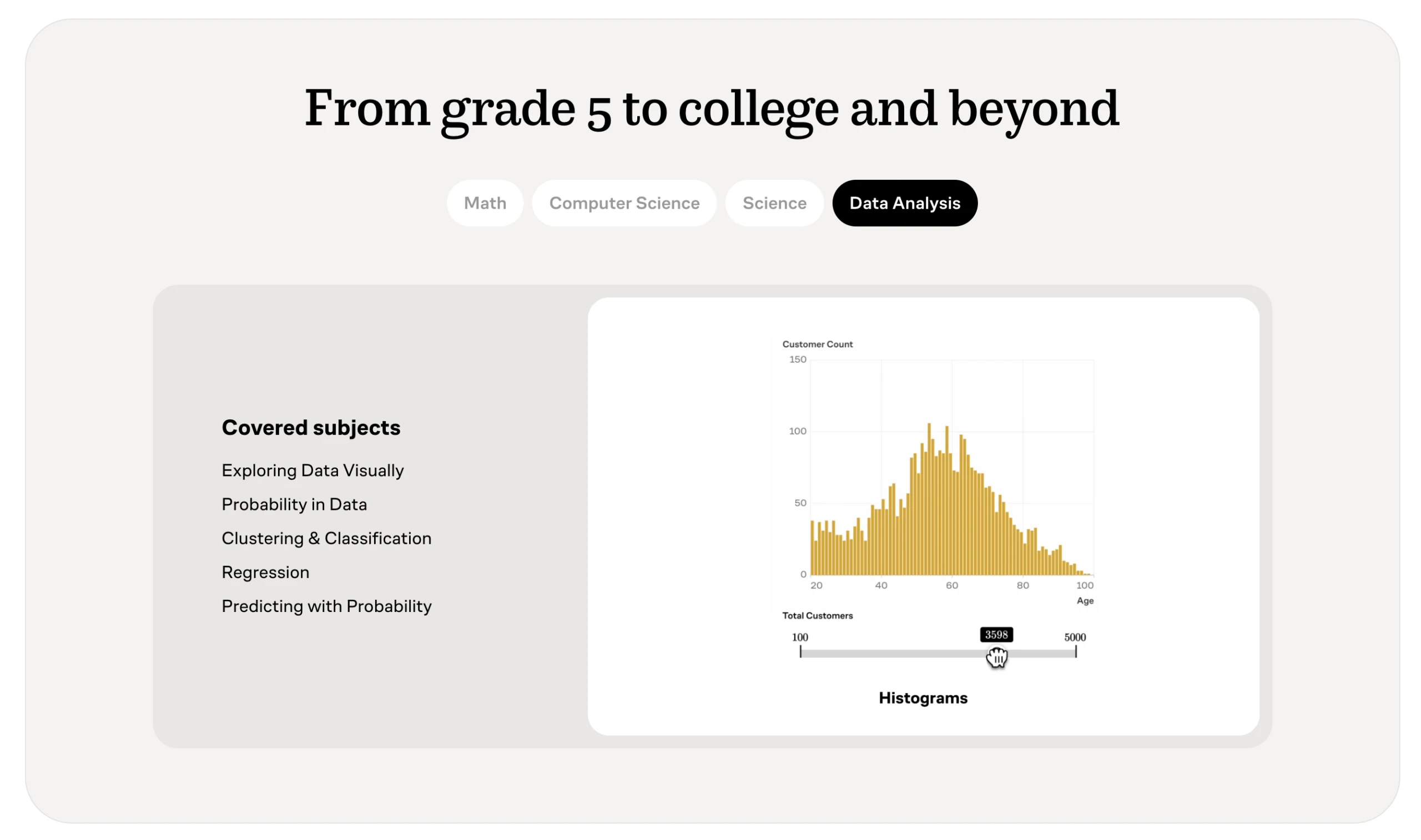
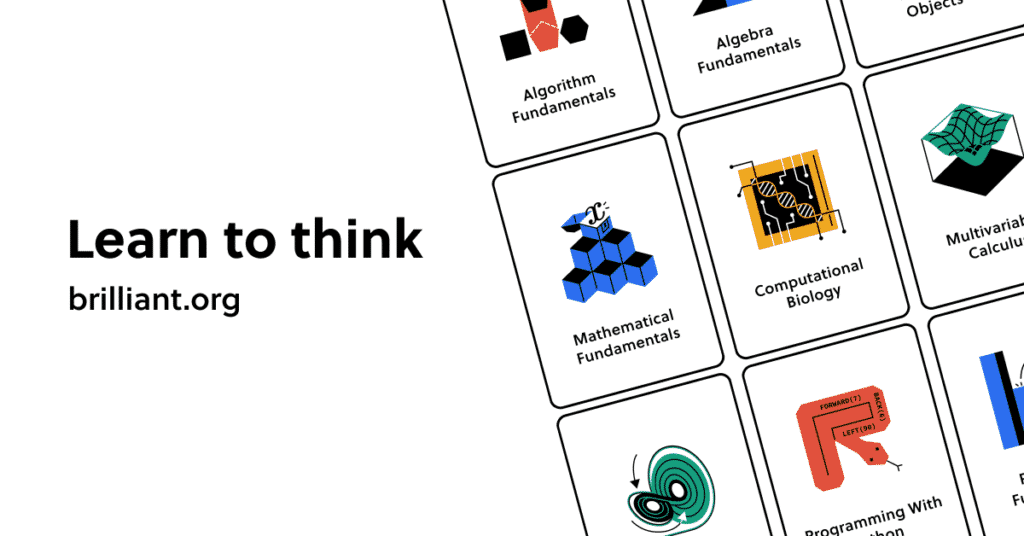
Brilliant.org breaks down its courses into the following 12 categories in the Math, Science, and Computer Science:
- Math: Algebra
- Math: Mathematical Thinking
- Math: Geometry
- Math: Statistics and Probability
- Math: Logic and Deduction
- Math: Contest Math
- Math: Road to Calculus
- Math: Advanced Mathematics
- Science: Scientific Thinking
- Science: Advanced Physics
- Computer Science: Foundational Computer Science
- Computer Science: Applied Computer Science
If some of those subjects interest you, yet made your brain shrivel a bit, don’t worry. You are exactly the target audience for Brilliant.org. After all, learning about difficult subjects in an engaging manner is the very essence of this platform.
As you can see, the content leans toward mathematical subjects. In fact, the catalog still leans toward mathematics, with the remainder spread across Science, Computer Science, and Data. However, as all of the courses are very substantive (not, for example, like the short courses that are the main fare at a platform like Skillshare), there is plenty of content in all three areas for most learners.
An interesting feature of the course content is that Brilliant.org recently has started hosting courses from “Contributing Authors,” which expands the content into somewhat more niche areas. This is done with the help of specific external experts (such as Andrea Marino, a two-time math olympiad gold medalist and mathematics Ph.D. at Tor Vergata University for the course Equations in Number Theory) or partner organizations (such as Microsoft and AlphabetX for the course on Quantum Computing).
How much does Brilliant.org cost?
Brilliant currently offers 3 payment plans for their Brilliant Premium subscription:
- A monthly subscription for $27.99 per month. This is what you’ll have to pay if you want to be able to cancel the subscription at any time without paying extra.
- An annual subscription for $161.88 per year ($13.49 per month). This subscription plan is about half as much as the monthly plan. However, it also requires you to pay for the whole year as one single payment.
- A Family plan that covers up to 6 members under a single fixed-price subscription, giving each member their own Brilliant Premium access — ideal for households and small learning groups.
A Brilliant Premium subscription unlocks the platform’s full library of interactive courses across math, science, computer science, and data. Here’s a look at the learning paths on offer:
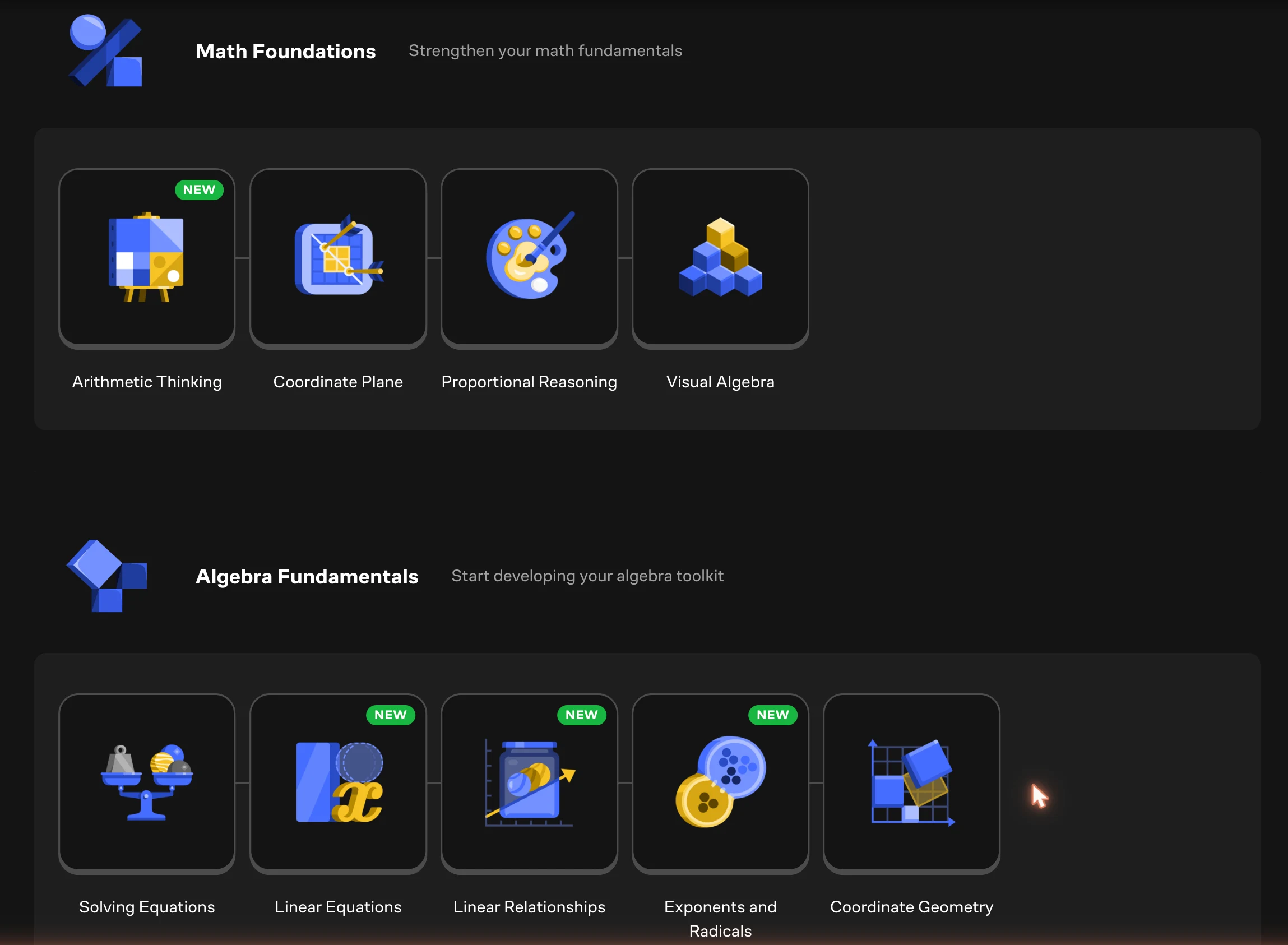
But what exactly does paying for Brilliant Premium get you? Let’s have a closer look.
What is included in a subscription to Brilliant Premium?
A subscription to Brilliant Premium gives you access to the following:
- All courses on Brilliant.org. Without Brilliant Premium, you’ll only have access to the first chapter of each course. All courses are accompanied by a large number of quizzes, puzzles, and other interactive lessons.
- Koji, Brilliant’s AI tutor. Available inside every course, Koji guides your thinking and explains concepts whenever you get stuck.
- Offline mode. Brilliant’s offline mode allows you to learn while on the go – even if you’re without an Internet connection.
- Guided courses. Guided courses allow you to partake in expert-led courses in math and science.
In addition to full access to all the courses, subscribers of Brilliant.org also get full access to daily challenges. These brain-crunchers come in the form of new concepts and quick challenges. All to keep the neurons of Brilliant.org subscribers constantly firing.
If the subscription to Brilliant sounds enticing, I highly suggest registering on the site. When you sign up, you can start a free trial of Brilliant.org. The trial lasts 7 days and gives you full access to all of the content on the site. It is a great way to see whether the style of teaching and the content offered on Brilliant is a good fit for you.
Online reviews of Brilliant.org
Online reviews of Brilliant.org tend to be very positive. Two aspects of Brilliant.org, in particular, are highlighted very often – the well-done gamification of all the courses and the superb customer service offered by the platform.
The one recurring gripe worth taking seriously is billing: a fair number of users report being auto-renewed without warning and then finding it hard to get a refund. Brilliant’s support does resolve many of these quickly, but it is the most common complaint by far — I break it down in the section below. Brilliant also offers refunds within three days of purchase on the annual plan if you’re dissatisfied or selected a subscription by accident.
On Trustpilot, Brilliant holds a 4.0 / 5 rating. The users of TrustPilot highlight the professionalism of the customer service (quick replies, helpfulness, flexibility regarding customer requests, etc.)
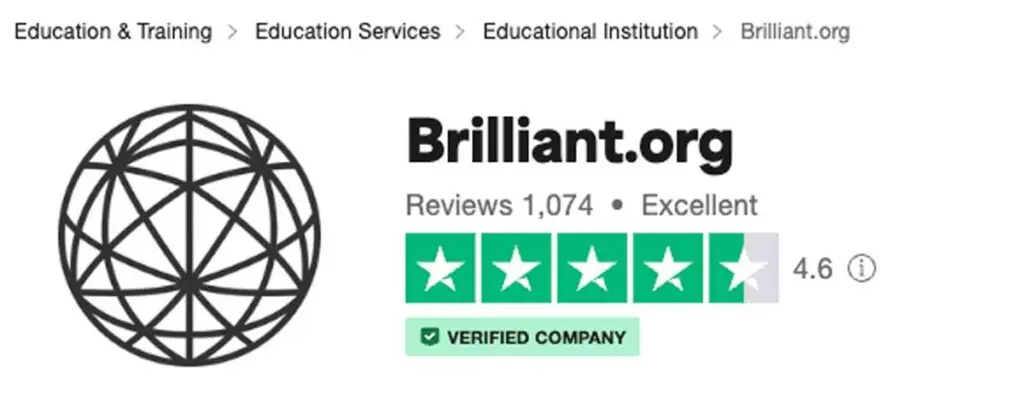
The users also value the content offered by Brilliant.org. The diversity of the courses, the gamified nature of the learning materials, and the accessibility for a wide user base are some of the most acclaimed aspects of the content offered by Brilliant.
Common Sense Media (a leading source of technology and entertainment recommendations for parents/schools) has also published a favorable review of Brilliant. In her review of Brilliant.org, Emily Pohlonski (2021 Michigan Science Teacher of the Year) praised the platform as being a great resource for high-achieving students to challenge each other and learn from their peers.
So, if any teachers are reading this, Brilliant.org might offer a unique way to level up your most talented students.
Advantages (Pros) of Brilliant.org
During our assessment of Brilliant.org, we found these to be the biggest benefits of the platform:
- Great user experience
- 7-day free trial available
- Supportive learning community
- Interactive learning experience
- Accessible for different skill levels
Great user experience
Simply put, the user experience of Brilliant is excellent. The interface is simple and beautiful yet effective. The drag-and-drop aspect of the challenges feels rewarding, and the overall visual style of the platform is one of the best I’ve seen. Plus, the animators have knocked it out of the park. For a visual learner such as myself, the whole experience feels more like a game than a full-on learning experience. And I mean that in a good way.
The strength of the user experience at Brilliant.org also lies in that it avoids the “one size fits all” approach. Brilliant.org allows you to customize your learning path in a way that feels comprehensive and effective. The platform doesn’t force you into making arbitrary decisions about what kind of project is appropriate or what subject you should begin with – it just lets you do whatever works best for you.
7-day free trial available
Another strong advantage of Brilliant is that you can try all the content on Brilliant.org via the free 7-day trial. This gives you the opportunity to select the course you are interested in and to try the content out. Note that you do need to enter your credit card details to start the trial, but canceling the trial before they charge you is easy, and in case you miss the deadline by a few hours, their support tends to be forgiving and refund you.
Many platforms refuse to hand out free trials and choose to opt for the “refund offer” option instead, which we consider a negative factor during our assessments of online learning platforms.
After all – if your product is really of high quality, you should not need to demand money upfront. Having a free trial shows that you are confident in your product and that you have faith in it to be able to provide the value for which people would gladly pay.
Thankfully, Brilliant offers a convenient free trial to all students and I suggest making full use of the trial and testing content from various categories.
Supportive learning community
Another aspect unique to Brilliant is the inclusion of a Community Wiki. In this community, there are thousands of pages worth of content developed by the community of experts from Brilliant. This wiki can be a goldmine of information that is difficult to find elsewhere. And the Community Wiki is available immediately upon signing up at Brilliant.org without having to pay for a subscription.
All of the wikis are relevant to the course content. So if you are feeling stuck on a certain puzzle or a course, head over to the wikis. Just taking a quick glance at a certain formula or a theory might give you the eureka moment you were looking for. And remember, even in difficult subjects, the solutions can often be hiding in plain sight.
Interactive learning experience
Getting feedback from like-minded learners is an important aspect of all e-learning. As most online learners know all too well, a lack of social interaction can be destructive to the learning process.
Since Brilliant.org is focused on the STEM niche, many students will likely be facing similar challenges and priorities. All in all, the communal aspect greatly adds to the educational and entertainment value of this platform.
Accessible for different skill levels
When going through the online reviews of this platform, you will quickly notice that Brilliant is effectively used by teachers, students, professionals, and hobbyists alike.
Brilliant has content available for all skill levels and that is another major strength of the platform. This is important because it means that anyone can pursue their education, regardless of how much they know before signing up.
Not only is Brilliant a good platform for learning the fundamentals of high school math, but it’s equally good for learning advanced topics such as data structures and special relativity.
Disadvantages (Cons) of Brilliant.org
Although our overall experience with Brilliant was a very positive one, it is a unique learning platform that will not necessarily suit everyone.
Let’s break down each disadvantage of Brilliant.org:
- Only STEM subjects covered
- The monthly payment plan is pricey
Only STEM subjects covered
Brilliant is, without a doubt, one of the most engaging I have ever used. However, I am not sure if the learning format would be a good fit for something like a public speaking course. Brilliant.org is focused on STEM subjects – and that’s not necessarily a negative thing. They know their target audience and they know them well.
However, there’s no getting around that only teaching math and science means that many students will not find the course they need on the platform. Compared with platforms such as Coursera, for example, the choice of subjects is very limited.
All in all, though, this is not a major disadvantage. After all, the platform is designed for math and science, and that is what it excels at.
The monthly payment plan is pricey
While Brilliant packs some great value for money, the monthly subscription plan of $27.99 per month is rather pricey. Choosing the annual payment plan instead of the monthly plan knocks around 50% off the monthly price tag, but then you have to pay more money upfront.
While it’s not a major disadvantage if you think that these courses will help you with your studies, it’s worth noting because a price of $27.99 per month already comes to the level of subscriptions of competitors who have a broader range of courses available and who often include university-issued certificates of completion.
Common Brilliant.org complaints (and my honest take)
Brilliant earns a lot of genuine praise, but no platform is complaint-free — and a few gripes come up again and again across Reddit, Trustpilot, the BBB and consumer-review sites. As always, remember that people are far more likely to post when they’re annoyed than when they’re happy, so the online picture skews negative. For each one below I’ve added my own honest take on how much it should actually worry you.
And I didn’t stop at writing them up. On June 19, 2026, I sent this list straight to Brilliant and invited them to respond to each point. I’m hopeful they’ll reply with their side — though there’s no guarantee — and if they do, I’ll publish their responses right here, next to my own take.
1. The annual plan auto-renews without warning
What people say: Waking up to a ~$160–$186 charge they weren’t expecting.
This is the number-one complaint, and it’s fair. The annual plan renews automatically, and plenty of users say they got no heads-up before the charge landed. Combined with the short refund window (next point), it’s an easy way to lose a year’s fee you didn’t mean to spend. The fix is simple: the moment you subscribe, either switch auto-renew off or drop a reminder in your calendar a week before the renewal date.
2. Refunds can be hard to get — the window is short
What people say: Refund requests delayed or refused.
Partly fair, and mostly down to the policy. Brilliant only offers refunds within about three days of an annual charge — a tight window, so if you miss it you’re usually stuck for the year. To their credit, support does refund promptly for a lot of people, especially if you reach out quickly and politely. But don’t bank on goodwill: act fast, and keep the cancellation confirmation.
3. Customer support can be automated and slow
What people say: Canned or AI-only replies with no human, especially on billing.
Mixed. Plenty of users genuinely praise Brilliant’s support as quick and friendly — it’s one of the things the platform is known for. But the billing complaints suggest it gets less reliable exactly when money is on the line. If a charge needs sorting, put it in writing, be specific, and escalate rather than relying on the first automated reply.
4. Only STEM subjects
What people say: No humanities, languages, business and so on.
True, but entirely by design. Brilliant is a maths-and-science platform and doesn’t pretend otherwise. If you want a broad catalogue across lots of subjects, this simply isn’t the tool — but if your goal is to actually understand maths and science, that tight focus is a strength, not a weakness.
5. The monthly plan is pricey
What people say: ~$28/month feels steep for one subject area.
Fair. At $27.99/month, Brilliant sits in the same bracket as far broader platforms. The annual plan roughly halves the monthly cost, and the 7-day trial lets you test everything first — so only pay month-to-month if you genuinely need the flexibility to cancel anytime.
6. No accredited certificates
What people say: You can’t put it on a résumé like a Coursera certificate.
Valid, and worth being upfront about. Brilliant doesn’t issue accredited or recognised certificates — it’s built to make you understand things, not to hand you a credential for your CV. That’s not a flaw so much as a different goal, but if a certificate is what you’re after, look at Coursera or edX instead.
7. The free tier is very limited
What people say: Only the first chapter of each course is free.
Fair — but there’s a better way to try it. Without Premium you only get a taster, which isn’t much to judge on. The 7-day free trial unlocks everything, so use that to evaluate the platform properly rather than basing your decision on the free chapters alone (just remember to set that cancellation reminder).
8. The format doesn’t suit everyone
What people say: The gamified, click-through style can feel repetitive or slow.
Some truth to it. The interactive drills are fantastic for active, visual learners — it’s exactly why Brilliant stands out — but if you prefer dense reading or lecture-style video, the hand-holding pace can grate. The trial will tell you within a day or two which camp you’re in.
Conclusion: Is Brilliant.org worth it?
All things considered, I found the Brilliant subscription to be very much worth it. Above all, I was impressed with the user experience, the gamification of difficult-to-learn skills, and the interactivity of the platform. Being a highly visual learner, the whole platform felt tailor-made for my style of acquiring new skills.
During this review, I dove right into Brilliant. What I found were courses that were well-built, informative, and very entertaining. A remarkable task for courses on notoriously difficult subjects such as computer science and artificial neural networks.
I found myself spending hours wrestling with various puzzles and tasks. Plus, the daily challenges quickly became something that I was always looking forward to.
Thus, would I advise the platform for people with an interest in STEM subjects? Yes. Definitely. Brilliant Premium is worth it for learning math and science. Some of the subjects taught are nearly invaluable in the digital work market. For example, having even a basic understanding of computer science is a massive self-investment in the digital age.
However, students without an interest in math and science might wish to look elsewhere for now – at least until Brilliant.org expands its course catalog to include more subjects. On the other hand, I would recommend that they still give the platform a try – the engaging format of the courses might just be what they need to kindle an interest in STEM subjects.
All in all, Brilliant.org fills a unique STEM sweet spot in the e-learning industry, and we can highly recommend it to students interested in learning math and science online.
Brilliant alternatives
| Platform | Best for | Free option | Starting price | Certificates | Rating |
|---|---|---|---|---|---|
| Khan Academy | Free, full maths & science curriculum | Free (everything) | Free | None | — |
| Coursera | University courses, certificates & degrees | Free to audit | $59/mo (Plus) | University-backed | 4.5/5 |
| edX | University MicroMasters & MITx/HarvardX courses | Free to audit | Free; certs paid | University-backed | 4.4/5 |
| DataCamp | Data science & coding by doing | Limited free tier | Subscription | Completion | 4.7/5 |
| Codecademy | Hands-on coding practice | Free tier | Free tier + Pro | Completion | — |
Brilliant.org FAQ
Is Brilliant.org worth it?
For STEM learners who enjoy hands-on practice, yes — it’s one of the most engaging ways to build real intuition in maths and science. It’s worth it if you’ll actually use it regularly; if you only want to dabble, the 7-day free trial is the smart way to find out before you pay.
Does Brilliant have a free version or free trial?
There’s a 7-day free trial with full access (a card is required to start it). Without Premium, the free tier only unlocks the first chapter of each course, so the trial is the real way to evaluate the platform.
How much does Brilliant cost?
Brilliant Premium is $27.99/month or $161.88/year (about $13.49/month), and there’s a Family plan covering up to 6 members. The annual plan is the better value if you’ll stick with it.
How do I cancel Brilliant or get a refund?
You can cancel anytime from your account settings; you keep access until the end of the paid period. Refunds on the annual plan are only available within about three days of the charge, so cancel quickly if you change your mind — and turn off auto-renew to avoid a surprise renewal.
Does Brilliant give you a certificate?
What is Koji, Brilliant’s AI tutor?
Koji is Brilliant’s built-in AI tutor, included with Premium. It sits inside each course and guides your thinking — explaining concepts and nudging you toward the answer when you’re stuck, rather than just handing it over.
Is Brilliant good for kids?
Brilliant recommends a minimum age of around 10. It’s excellent for curious and high-achieving students who want to go beyond the school curriculum, but it isn’t designed for very young children just starting out.
Brilliant vs Khan Academy — which is better?
Khan Academy is free and broader, covering a full school curriculum. Brilliant is paid, more polished and more gamified, with a narrower but deeper interactive focus on maths, science and computer science. If budget is the priority, start with Khan Academy; if you want the most engaging hands-on experience, Brilliant is hard to beat.