Teachable
➔
★★★★★ 4.5 / 5
Teachable is a great base-level online course creation platform that serves its target users well. Amateur online course creators can test whether or not their courses will be successful with Teachable’s free trial, then continue to examine their business viability through reasonably priced membership tiers that unlock unique new features as you go. Though a great fit for beginners, more advanced course creators might find the lack of customization across the platform and limited email functionality frustrating. Marketing your courses might be harder than you’d think, especially since the platform doesn’t feature a built-in marketplace. Keep reading to uncover our entire Teachable Review!
Pros
- You can build an entire school, not just a course
- Flexible pricing options & free trial
- Helpful onboarding resources for newbies
- Native payment system
Cons
- Limited email functionality
- Less customization options
- Limited community vibes
Try any Teachable plan free for 7 days, with a 30-day money-back guarantee
Teachable Review Introduction
To make the best online course, you need the right tools. Cameras. Tripods. Audio equipment. Editing tools. Miscellaneous software. And perhaps most importantly—right up there with a grand slam idea— is that you need the right program for selling your online course.
And trust us, there are plenty of online course creation platforms to choose from.
Today, we’re going to explore the ins and outs of one of them, Teachable, to discover whether it’s a rockstar platform worth considering or not. Read our comprehensive, honest Teachable review to find out.
What is Teachable?
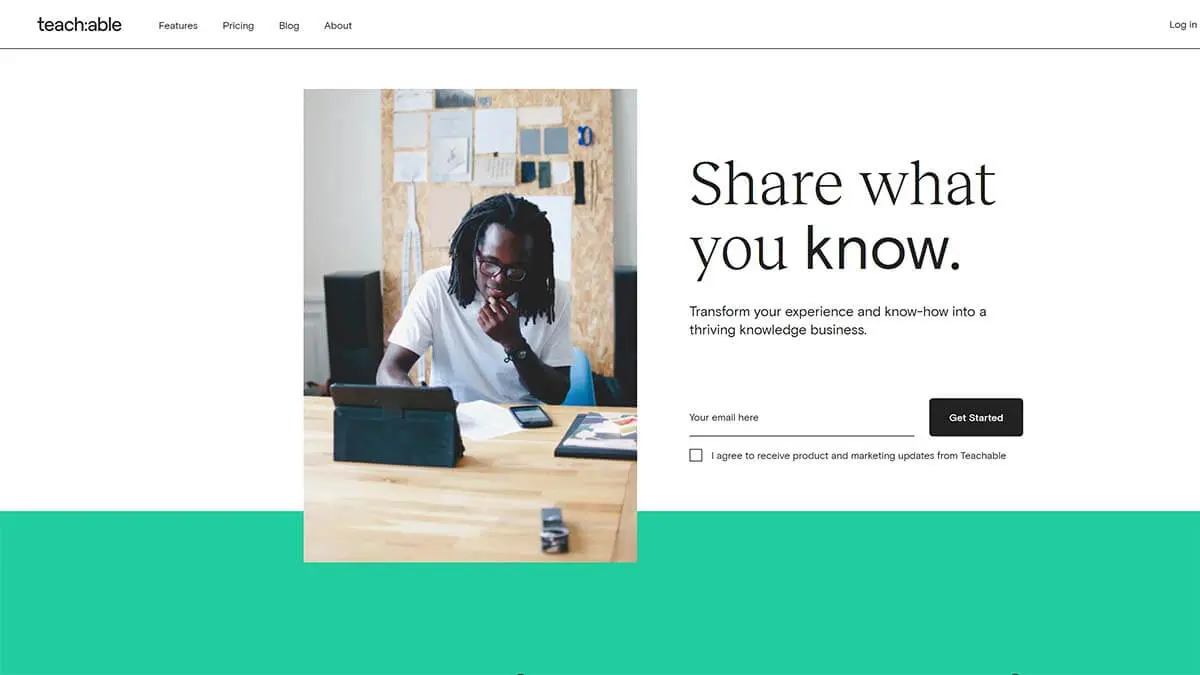
Teachable is an online platform that allows you to create and sell your very own online courses. Teachable takes care of everything: hosting, managing your course material, basic course marketing, and, most importantly, making your content look GREAT (the Teachable landing pages are sharp). Your video files live on there, you can use the platform to bill your students recurrently, and its built-in marketing platform helps you market your course and get people to enroll. Cha-ching!
While there are many learning management system (LMS) options out there (Kajabi, Thinkific, and LearnWorlds are often pitted-against Teachable as the “best”), Teachable sets itself apart with its emphasis on building an online school rather than simply an online course. They rise to the occasion by offering not only the ability to create paid courses, but also free courses (a great first step to a student who is new to your content!) and monthly subscriptions.
So YOU, as the creator, get to decide: Do you want to build a membership platform, where people pay monthly or annually for access to your content? Or are you trying to build a digital class, where people pay for access to your course content once?
Teachable says: Why not both?
Teachable’s free trial and low-cost Starter plan are a great entry point for those new to selling online courses or for anyone nervous about hefty upfront costs on “something new they’re trying.” Its user-friendly features allow teachers to build and start their business slowly, scaling production, sales, and marketing as needed.
How does Teachable work?
For Course Creators
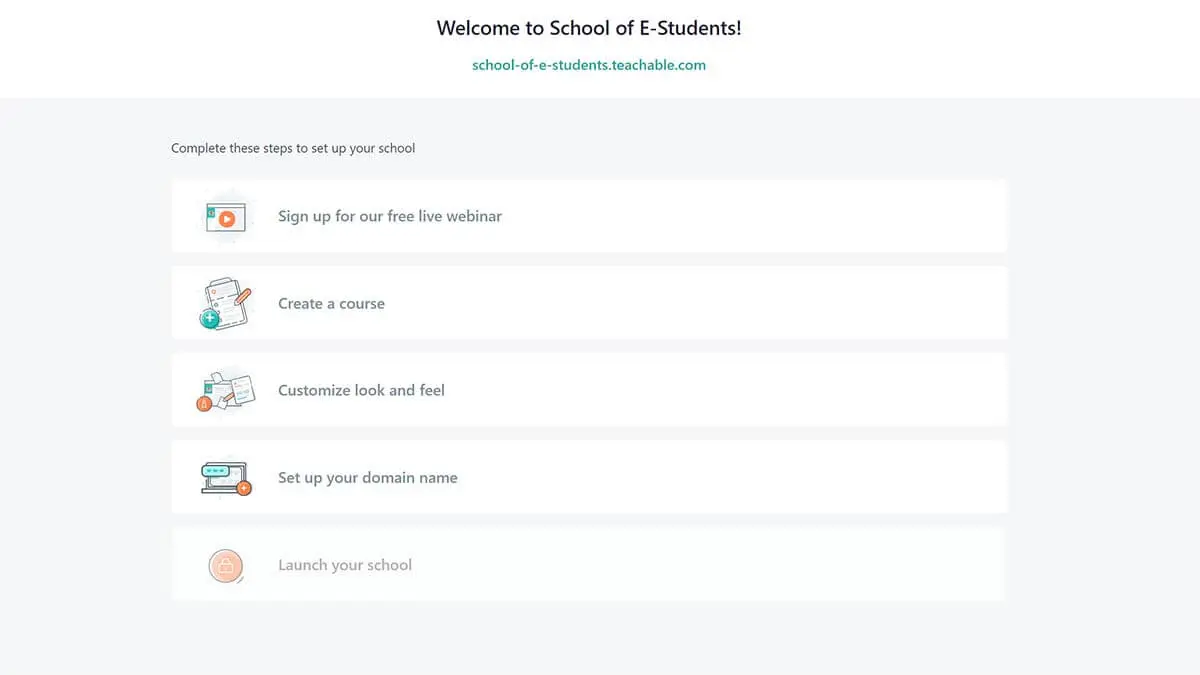
Simply choose the right membership tier level for you (there’s a nice comparison chart here) and then click “Choose plan.” This will take you directly to an account creation page where you will be asked to enter basic information like your full name, email address, and password.
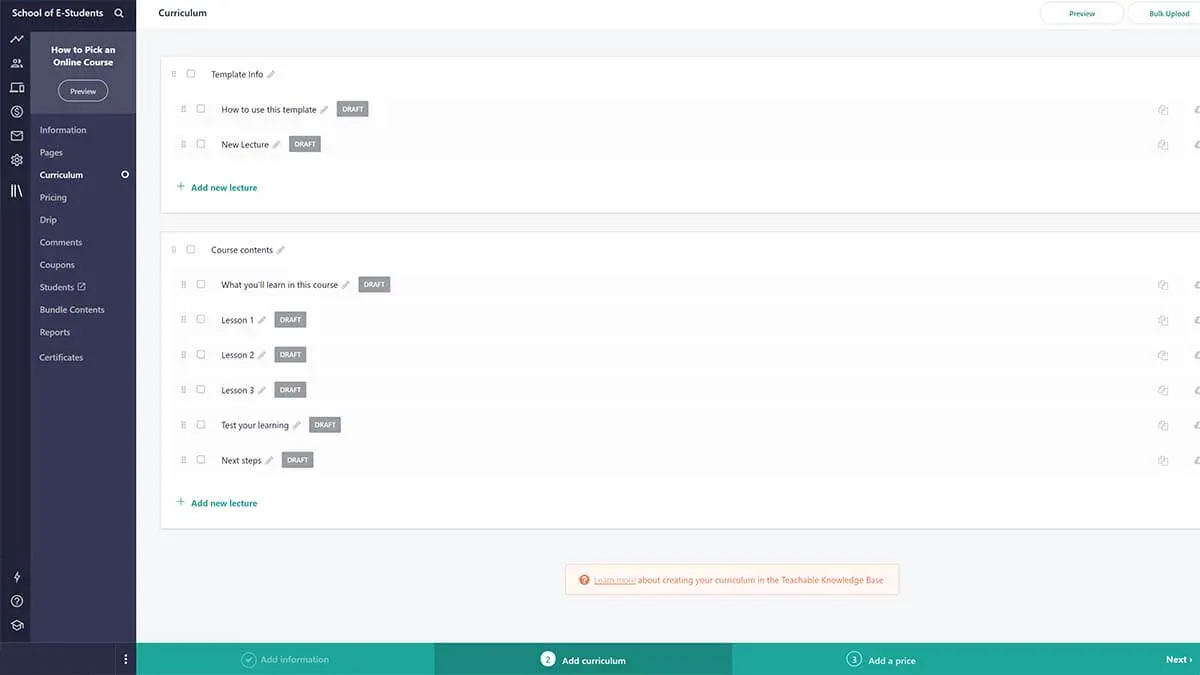
Thanks to Teachable templates, you can quickly input your business information. With the click of the “publish” button, you’ll have a ready-made online course, eager for its first students. From here, you can build your course(s) with videos and written content, then sell it through a dedicated sales page with one of the pre-made Teachable templates available.
Teachable’s easy-peasy dashboard and user-friendly system helps course creators be easily guided through the steps of uploading content and videos, building sales pages, and setting up payment integrations (teachers get to know its native payment processor, Teachable Payments, quite quickly!).
Though it sounds like only a few steps and a short paragraph, keep in mind that building an online course takes time, strategy, and conscientiousness. If you’re anything like us, though, the work will be fun and meaningful, and you might find yourself becoming increasingly obsessed with the platform in just a few short days…
For Students
There is no online course marketplace built into the platform, so students will only find Teachable courses through individual course marketing conducted by each unique creator. Once a student signs up for a course, they can opt for multiple payment plans, including up-front or ongoing (recurring) billing. From there, students will have access to the course of their choosing. Most often, students can progress through the course at their own pace.
There’s also the Teachable app. Students of online courses built in the Teachable platform can take their coursework with them and learn on the go with Teachable’s app for iOS! The offline reader function is especially helpful for service interruptions on the underground. The availability of the Teachable app is another big checkmark in the “YAY” column for the platform, improving the overall content delivery for students and teachers alike.
To see a successful example of Teachable being used to create and market courses, check out the Mindful.org’s online learning section. They offer mindfulness courses that are built with the Teachable software.
Review of Teachable Pricing & Costs
No Teachable review is complete without talking about the costs. In 2025, Teachable retired its old Free, Basic, Professional, and Business plans and replaced them with a new lineup—Starter, Builder, and Growth—plus a Custom plan for larger businesses. There is no longer a permanent free plan, but every plan comes with a 7-day free trial and a 30-day money-back guarantee. You can always check Teachable’s current plans and pricing here.
Starter
The entry-level Starter plan costs $39 per month (or $29 per month billed annually). It lets you publish up to 5 products, and it carries a 7.5% transaction fee on sales—so it best suits creators launching their first course.
Builder—Most Popular
Builder costs $89 per month (or $69 per month billed annually) and removes transaction fees entirely (0%) when you use Teachable Payments. It raises your limit to 10 products and unlocks the tools most growing course businesses need.
Growth
Growth costs $189 per month (or $139 per month billed annually), also with 0% transaction fees. It supports up to 50 products, making it the right fit for established creators scaling a catalog of courses.
Custom
For higher volumes, the Custom plan adds a dedicated success manager, priority support, and flexible product, student, and admin seats at tailored enterprise pricing. Contact Teachable directly for a quote.
Other costs to be aware of
On top of your subscription, standard payment processing applies (typically 2.9% + 30¢ per transaction, with an extra 1% on international cards), plus a small per-payout fee. The Starter plan’s 7.5% transaction fee is removed on Builder and above, so heavier sellers usually come out ahead by moving up a tier. Paying annually rather than monthly saves roughly 22–25% across the plans.
Pros of Teachable
What are the pros of Teachable? Are there any perks that set it apart from the rest? After a deep dive into Teachable’s platform, these benefits stand out:
- You can build an entire school, not just a course
- Flexible pricing options & free trial
- Helpful onboarding resources for newbies
- Native payment system
✅ You can build an entire school, not just a course
At Teachable, you are not encouraged to think small. Rather than encouraging creators to focus on one-off courses, it drives creators to build an empire. The availability of being able to offer free courses, paid courses, and monthly ongoing subscriptions challenges creators to think more broadly about their offerings (and how to scale their business in turn). This is a huge perk of Teachable that we love, and we know all of the dreamers out there will agree.
✅ Flexible pricing options & free trial
We are big fans of free entry levels to software. After all, if you are going to build your entire digital education empire on a single site, isn’t it only natural that you would want to be able to test the waters in advance?
Teachable no longer has a free plan, but every plan comes with a 7-day free trial and a 30-day money-back guarantee. That is still a win for those new to the game or those nervous to go all-in without some time to take the software for a test run.
Another major pricing perk is that you can charge students for recurring monthly payments rather than only up-front, even for one-off courses (rather than memberships). This lowers the barrier of entry significantly to would-be students, hopefully increasing your number of sign ups!
✅ Helpful onboarding resources for newbies
If you’re curious to learn more about building your own online course on Teachable’s platform, check out their weekly free masterclass / webinar: 7 Steps to Launch Your Own Profitable Online Course. They cover how to create your online school and set up your first course, how to not just “create” but to also “profit,” ways to create a beautiful school that matches your brand, and a live Q&A (so helpful!). Ultimately, they remind you that you can do all of this without any technical skills—a helpful encouragement for those of us who aren’t masters of web design.
✅ Native payment system
If you don’t currently have a PayPal or Stripe account, you don’t need to make one. On Teachable, you can get paid through their internal payment system, Teachable Payments, rather than by integrating with a third party system (though this option is available too). This is a great perk if you feel like managing multiple payment accounts is for the birds!
Cons of Teachable
While Teachable can be a great (and the right) solution for many online course creators, there are still a handful of downsides to consider. We found the main cons of Teachable to be:
❌ Limited email functionality
I have become so accustomed to building and scheduling emails for future send that it rarely occurs to me that this is a special functionality. Then I tried to build an email sequence for my students in Teachable, and lo and behold, you have to build and send emails in congruence on the platform. In fact, you cannot really automate emails on the platform outside of a drip sequence in general.
Further, you can’t personalize emails easily with smart content, and you’ll have to roll up your sleeves to dig into a little HTML code if you’d like to customize the emails in any way.
❌ Less customization options
Teachable differs significantly from a few other online learning management systems, like Skillshare, insofar as that it does not have a built in course marketplace on the platform. That means that it is less likely that a potential student stumbles upon your course and selects it based on your reviews, brand, and course content. To this end, it’s up to you, and only you, to market your course—the platform isn’t really going to help increase your visibility to potential learners.
❌ Limited community vibes
Beyond a comment function on individual lessons in a course curriculum, there is no built-in system that allows your students to not only interact with you, but with each other! This can be the right approach for some creators, but for those who aspire to build a community in conjunction with their courses, this might not be the right fit.
Review Conclusion: is Teachable a Good Platform?
Teachable is an excellent platform, especially if you are a beginner-level course creator who wants to minimize the barriers between your great content and your future audience. We found Teachable to be an overall approachable online course platform, boasting most of the base-level features needed to help you create, market, and sell online courses from your own business or website.
If you don’t believe us, perhaps one of the platforms seven million satisfied students will win you over. You don’t get to numbers like those without offering a kick ass product that most find fulfills their needs and helps them on their journey to mastering a new skill or picking up a new hobby.
Online schools built on Teachable work. What great idea will YOU bring to life on the platform?
FAQs
How much is Teachable?
Teachable’s plans start at $39 per month for Starter ($29 per month billed annually). Builder costs $89 per month ($69 per month billed annually), and Growth costs $189 per month ($139 per month billed annually). The Custom plan for larger businesses is priced on request. Every plan comes with a 7-day free trial and a 30-day money-back guarantee.
How does Teachable make money?
Teachable makes money from a combination of its subscription services, transaction fees, and processing fees. There are four plans at Teachable: Starter, Builder, and Growth, from $39 to $189 per month, plus a custom-priced plan for larger businesses. Each course creator pays for access to the platform through their membership fees. The transaction and processing fees vary based on the membership level and the source of the transaction (United States or international).
What percentage does Teachable take?
Across all membership levels, Teachable takes 2.9% + 30¢ per US sale. This percentage increases for international credit and debit card sales as well as international PayPal sales (to 3.9% and 4.4%, + 30¢, respectively).
Does Teachable have a free plan?
Not anymore. Teachable no longer offers a permanent free plan, but every plan comes with a 7-day free trial and a 30-day money-back guarantee.
Is Teachable mobile-friendly?
Thanks to the Teachable app, Teachable sets the bar for usability on the go. Students have easy access to browse, buy, and progress in their courses from their smartphone. Access to these mobile users is a big perk of creating your online course on Teachable. It is a huge step up from competitors like Thinkific, who don’t offer an app, just a mobile-friendly site.
Try any Teachable plan free for 7 days, with a 30-day money-back guarantee